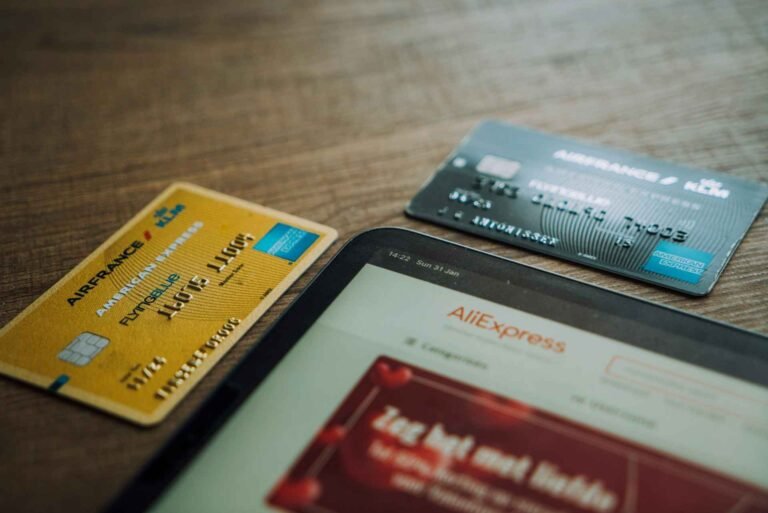
You’re at checkout, card in hand or details entered, and AliExpress is rejecting the payment. Maybe it says “payment failed.” Maybe it just spins and doesn’t go through. Maybe you’ve tried twice and now you’re wondering whether something is wrong with your account, your card, or the platform itself.
This is one of the most common AliExpress frustrations, and it has a handful of specific causes, most of which are fixable in under ten minutes.
Quick Answer
AliExpress card rejections happen for several reasons: your bank declined the international transaction, the card isn’t enabled for online international purchases, AliExpress’s fraud detection flagged the payment, you’re using a card type that isn’t supported (some prepaid or Maestro cards don’t work), the billing address doesn’t match your card records, or there’s a temporary payment gateway issue. Working through these causes in order resolves the vast majority of declined AliExpress card payments.
The Most Common Reasons AliExpress Rejects Cards
Your bank blocked the international transaction
This is the most common reason, especially for first-time purchases or for buyers using debit cards. Banks increasingly block international online transactions by default, flagging them as potentially fraudulent. This is your bank’s fraud protection working against your purchase, not AliExpress doing anything wrong.
The transaction appears to go through on your end, the checkout spins or shows a brief processing message, and then it fails. Meanwhile your bank may have sent you a security notification or text message about an unusual transaction.
Fix: Call the number on the back of your card and tell them you’re trying to make an international online purchase from AliExpress. They can either approve the specific transaction or enable international online purchases on your card going forward.
The card isn’t enabled for international online purchases
Many banks, particularly in Australia and Canada, issue debit cards where international online transactions are blocked by default. This is separate from the per-transaction fraud block. It’s a standing setting on the card.
Fix: Log into your bank app. Look for card controls, card settings, or transaction settings. There’s usually a toggle or permission for “international transactions” or “online purchases” that you can enable yourself without calling anyone.
AliExpress’s fraud detection flagged your transaction
AliExpress operates its own fraud detection that compares your billing country, IP address, card’s issuing country, and account history. If too many things don’t match (paying with a UK card while your IP shows a different country, using a VPN, switching browsers mid-checkout, new account with a large first purchase), the payment can be declined on AliExpress’s side before it ever reaches your bank.
Fix: Turn off any VPN. Complete the payment in the same browser session without switching tabs. If you’re a new user, try a smaller first purchase.
Wrong billing address entered
Some card payment processors verify your billing address against the address your bank has on file. A postcode or zip code mismatch can cause a decline without an obvious error message.
Fix: Check the billing address in AliExpress’s payment details and ensure it exactly matches what your bank has on file, including formatting.
Unsupported card type
AliExpress accepts Visa, Mastercard, and American Express in most countries. Maestro cards (common in the UK and Europe), some prepaid cards, and cards issued in certain countries may not be supported. Some Visa Electron cards (a debit variant in some European countries) also don’t work.
Fix: Check whether your card has a Visa, Mastercard, or Amex logo. If it only says Maestro, Visa Electron, or is a prepaid card without a standard Visa/Mastercard network, it may not be compatible. Try a different card.
Your card has a low daily spending limit
Some debit cards have daily transaction limits or online spending limits set by the bank. If your purchase exceeds this limit, the transaction declines even if the funds are available.
Fix: Check your card’s daily limits in your bank app or by calling your bank. Increase the limit or split the purchase across multiple smaller orders.
Temporary payment gateway issues
AliExpress’s payment processing sometimes experiences intermittent issues. This is rare but happens. The checkout page may appear to work normally but payments fail silently.
Fix: Wait 30 to 60 minutes and try again. Check AliExpress’s status pages or community forums to see if others are reporting payment issues simultaneously.
The card was recently renewed or replaced
If your card was recently replaced due to expiry, a lost card, or fraud, and you’re using saved payment details in AliExpress, those details are out of date. Even if the card number changed by just one digit, the saved details won’t work.
Fix: Remove the old card from your AliExpress payment settings and add the new card details manually.
How Risky Is This Really?
Card rejection is a technical frustration, not a financial risk. If the payment was declined, the money hasn’t gone anywhere. Pending holds from failed attempts typically drop off within 3 to 7 business days.
The risk to watch: attempting the same payment multiple times in quick succession triggers additional fraud flags with both your bank and AliExpress. If you’ve already tried three times, stop and diagnose before trying again.
Country-Specific Notes
United States
US banks often have fraud alerts that trigger on first-time international purchases. Chase, Bank of America, Wells Fargo, and Capital One all have this. Many have self-service options in their apps to approve or unlock international purchases. AMEX cards tend to have fewer international approval issues than Visa/Mastercard debit. If you’re using a US debit card specifically, calling your bank is often the fastest fix. For credit card declines, check whether your credit limit is approaching and whether the billing address matches.
United Kingdom
UK buyers frequently encounter issues with Maestro debit cards, which AliExpress doesn’t support. If your card shows only a Maestro logo without a Visa or Mastercard logo, it won’t work. Most Barclays, Lloyds, NatWest, HSBC, and Santander current account debit cards are Visa Debit and work fine. Monzo and Revolut Mastercard prepaid cards generally work. Some Visa Electron cards from UK banks may not work. For credit card declines, Section 75 purchases work fine once the card’s international transaction settings are enabled.
Canada
Canadian buyers frequently need to enable international online transactions on debit cards through their bank app or by calling their bank. RBC, TD, BMO, Scotiabank, and CIBC all have international transaction settings that can be adjusted. If you’re using a Visa Debit card from a Canadian bank, it should work once international transactions are enabled. Credit cards from major Canadian banks work well once any one-time fraud alerts are cleared. American Express cards from Canadian banks also work on AliExpress.
Australia
Australian buyers often encounter the same debit card enablement issue. ANZ, CBA, Westpac, and NAB all allow you to enable international online transactions through their banking apps. CommBank specifically has an “international transactions” toggle in their card settings. If you’re using a prepaid travel card or a card that’s not on the Visa or Mastercard network, it may not be compatible. Australia Post-issued Visa cards sometimes have restrictions on international online purchases.
Step-by-Step: How to Fix an AliExpress Card Rejection
1. Note the exact error message AliExpress displayed. “Payment failed,” “Your card has been declined,” “Transaction not authorised,” and “Payment processing error” all point to slightly different issues. Screenshot it.
2. Check your bank app or statement for a decline notification. Banks often send an immediate push notification when they decline a transaction. Look for one. It sometimes says why: “International transaction blocked,” “Insufficient funds,” “Security hold.”
3. Enable international online transactions in your bank app. Look for card settings, transaction controls, or security settings in your bank app. Find the toggle for international or online purchases and enable it.
4. If you can’t find the setting, call your bank. Tell them you’re trying to make an online purchase from AliExpress (an international retailer) and the payment is being declined. Ask them to enable international online purchases on your card or approve the specific transaction.
5. Turn off any VPN or ad blocker. VPNs are a known cause of AliExpress payment failures. Turn off any VPN and disable ad blockers in your browser for the AliExpress tab before trying again.
6. Verify your billing address in AliExpress matches your bank’s records. In AliExpress payment settings, check the billing address associated with the card. It should match exactly what your bank has on file.
7. Clear your browser cache and cookies, or switch to a different browser. Sometimes browser session data causes payment processing issues. Try an incognito window or a different browser entirely.
8. Remove and re-add the card. In AliExpress payment settings, delete the card and add it again manually, even if the details look correct. This refreshes the card token.
9. Try an alternative payment method. If the card continues failing, try PayPal (which handles the currency conversion and international processing separately), Apple Pay, or Google Pay. These often succeed when direct card entry fails.
10. Wait and try again later for suspected gateway issues. If you’ve tried all of the above and it’s still failing, wait 30 to 60 minutes. Gateway issues typically resolve quickly.
Tips for Avoiding AliExpress Card Payment Failures
Use a credit card rather than a debit card for first AliExpress purchases. Credit cards are consistently more accepted on AliExpress across all four countries. They have fewer friction points with international transaction blocking and provide buyer protection as an additional benefit.
Don’t use a VPN at checkout, ever. AliExpress’s fraud detection is sensitive to IP/billing country mismatches. VPNs route your traffic through a different country, which looks suspicious. Turn off any VPN before you even start browsing if you plan to buy.
Pre-approve your card for international transactions before you shop. Five minutes in your bank app to enable international online transactions before your first AliExpress purchase eliminates the most common failure point.
Try the AliExpress app rather than the website. Payment processing in the app sometimes succeeds when the browser-based checkout fails. The app uses a different payment flow that can avoid some browser-related issues.
Apple Pay and Google Pay bypass most card issues. These payment methods use a tokenised system that doesn’t directly expose your card number to AliExpress’s payment system. They also bypass the billing address verification step. If your card keeps failing, try Apple Pay or Google Pay as a workaround.
For prepaid cards: only Visa and Mastercard prepaid work, and not all of them. Prepaid cards from specific issuers (Revolut, Wise, some gift card Visas) work. Generic prepaid Visa cards from supermarkets or pharmacy chains often don’t. If you need to use a prepaid card, Revolut and Wise are the most reliable options.
If your card expired last month: update it now before trying to use it. AliExpress stores saved card details. An expired card saved in your payment settings will fail every time until you update it with the new expiry date and CVV.
Alternative Payment Methods When Your Card Won’t Work
If you’ve exhausted the card fixes and nothing is working, here are the alternatives that consistently work for buyers in all four countries:
PayPal: Available on many AliExpress listings. Handles its own payment processing and often succeeds when direct card entry fails. Adds buyer protection as a bonus.
Apple Pay: Available in the AliExpress iOS app. Bypasses direct card entry issues. Uses your device’s tokenised payment.
Google Pay: Available in the AliExpress Android app. Same approach as Apple Pay.
Afterpay (Australia): Available in the AliExpress app for Australian buyers who prefer installment payments.
Klarna (Germany, Netherlands, Austria, Finland): Available for buyers in these markets.
Takeaway
AliExpress card rejections are almost always fixable. The most common cause, your bank blocking the international transaction, has a straightforward fix: either enable international purchases in your bank app or call and ask them to unlock it.
If it’s not the bank, it’s usually the VPN, the billing address, the card type, or a temporary payment gateway issue. Work through the checklist in order and you’ll find the cause.
And if the card continues refusing despite everything: PayPal, Apple Pay, and Google Pay exist for exactly this situation. They bypass most of the friction points that cause direct card entry to fail on AliExpress.
FAQ
Why is AliExpress not accepting my debit card? The most common reason is that your bank has blocked international online transactions. Check your bank app for international transaction settings or call your bank to enable them. Also verify your card is on the Visa or Mastercard network, as Maestro and Visa Electron often don’t work on AliExpress.
Why did AliExpress decline my credit card? Likely your bank’s fraud detection triggered on an international purchase. Check for a decline notification in your bank app. Call your bank to clear the hold or enable international transactions. Also check that your billing address in AliExpress exactly matches your bank’s records.
Can I use a prepaid card on AliExpress? Some prepaid Visa and Mastercard cards work. Generic supermarket or pharmacy prepaid Visas often don’t. Revolut and Wise prepaid cards are the most reliably compatible. Maestro prepaid cards don’t work.
Why does AliExpress keep saying payment failed? Multiple causes. Check whether your bank blocked the transaction, whether your VPN is active, whether your billing address matches your card records, and whether your card type is supported. Try the payment in the AliExpress app rather than a browser, and try PayPal as an alternative.
Does AliExpress accept Visa debit cards? Yes, Visa Debit cards work on AliExpress, but you may need to enable international online transactions in your bank settings first. Visa Electron cards (a separate card type) may not work.
What should I do if AliExpress won’t accept any of my cards? Try PayPal, Apple Pay, or Google Pay as alternatives. These bypass most of the friction that causes direct card failures. If you’re in Australia, Afterpay is another option. If PayPal also fails, contact AliExpress support through the Help Center live chat.
Will a failed AliExpress payment charge my card? A failed payment may leave a pending authorisation hold on your account that looks like a charge. This is not a completed charge. It typically drops off within 3 to 7 business days without becoming a settled transaction.
Help a Friend Save Money: