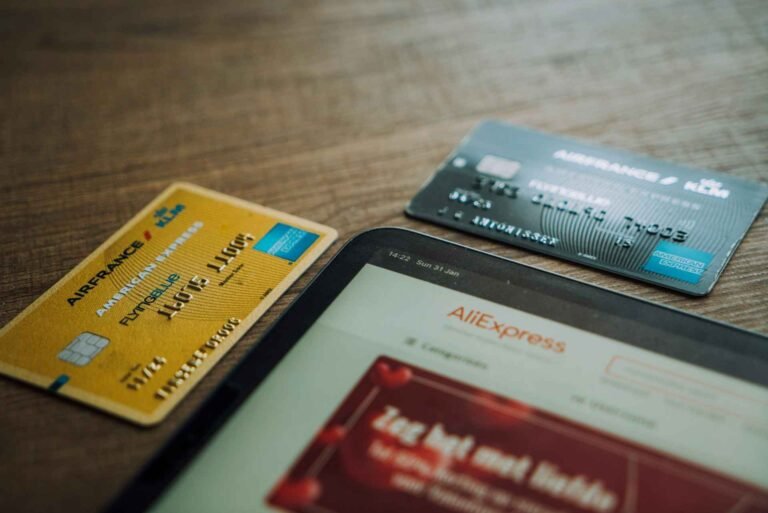
Revolut works on AliExpress. Both the physical card and virtual cards run on the Visa or Mastercard network, and AliExpress accepts them like any other card. The problem most buyers run into is not that Revolut is blocked: it is that Revolut’s anti-fraud system declines the first charge from a new merchant, and AliExpress, being a Chinese platform, triggers that flag almost every time. The fix takes 30 seconds and works in the vast majority of cases. This page covers the fix, which card type works best, why some accounts still get declined after the fix, and how Revolut compares to a credit card for buyer protection on AliExpress.
The Most Common Revolut Problem on AliExpress (And the Fix)
Revolut’s card controls include an “Online payments” toggle that must be switched on before the card can be charged by international e-commerce platforms. On new accounts and after Revolut security updates, this toggle sometimes defaults to off. AliExpress then receives a decline from Revolut’s system, which reads as a payment failure.
The fix:
Step 1. Open the Revolut app on your phone before going to AliExpress checkout.
Step 2. Tap on Cards at the bottom navigation. Select the card you plan to use.
Step 3. Tap on Card controls (the settings icon on your card).
Step 4. Check that Online payments is toggled on. If it is off, switch it on.
Step 5. Return to AliExpress and attempt the payment again. It processes in most cases.
If the decline happens on the AliExpress app specifically, also check that the app has not placed a hold on the card from the failed first attempt. Some users find they need to remove the card from AliExpress saved methods and add it again after enabling online payments in Revolut.
Virtual Card vs Physical Revolut Card: Which Works Better on AliExpress?
Both work, but each suits a different type of buyer.
The physical Revolut card is the most practical option for regular AliExpress buyers. It saves once in your AliExpress account and you do not need to re-enter details for each order. The card number stays consistent between purchases, so AliExpress recognizes it as a returning payment method.
The disposable virtual card generates a new card number for each transaction, which is excellent for security but creates friction on AliExpress. After each purchase, the card number changes, meaning AliExpress may flag the new number as a fresh payment attempt and potentially trigger another first-time decline. Use the multi-use virtual card instead of the disposable version if you want the security of a virtual card without the repeated re-entry.
For buyers in the US and Europe using Revolut on AliExpress for the first time: the fix is the same regardless of card type. Enable online payments in card controls, then attempt the charge.
Why Revolut Still Declines Even After Enabling Online Payments
A small number of users find the payment still fails after following the steps above. Secondary causes include:
Insufficient balance or wrong currency. AliExpress charges in USD. If your Revolut account has no USD balance and your home currency conversion is restricted or at its daily limit, the charge fails. Check your Revolut balance and ensure auto-conversion from your primary currency is enabled.
Smart delay or fraud detection. Revolut’s security system sometimes applies a temporary hold after a failed charge attempt. Wait 15 to 30 minutes before trying again. Trying the same transaction repeatedly in quick succession can escalate the block.
Spending limits set on the card. Some Revolut plans have monthly or per-transaction spending limits set in card controls. Check whether your plan limits apply to the order amount.
AliExpress app cache issue. If payment fails in the AliExpress browser but you have not tried the app, switch to the AliExpress mobile app. Browser checkout on AliExpress has more payment failures than the app across all card types, not just Revolut.
Revolut vs Credit Card: Which Gives Better Protection on AliExpress?
Revolut and AliExpress Payments: Protection Comparison
| Payment Method | AliExpress Buyer Protection | Chargeback Available? | No FX Fees? |
| Revolut Debit | Yes | Yes (via Revolut disputes) | Yes |
| Revolut Credit (where available) | Yes | Yes, stronger than debit | Yes |
| Credit card (Visa/MC from bank) | Yes | Yes, bank chargeback scheme | Usually no |
| Debit card (traditional bank) | Yes | Limited depending on bank | Usually no |
Revolut debit gives you two layers of protection: AliExpress buyer protection and Revolut’s own dispute process, which can initiate a chargeback if AliExpress fails to resolve a claim. That combination is solid for most purchases.
A traditional credit card from your bank adds a third layer. In the UK, Section 75 of the Consumer Credit Act covers credit card purchases over £100, giving you a statutory right to a refund from your card issuer if AliExpress fails to deliver or the goods are not as described. Revolut debit does not carry Section 75 coverage. If you regularly buy higher-value items on AliExpress, a credit card is the stronger protection. For everyday orders under £100 or equivalent, Revolut debit is more than sufficient.
One genuine advantage Revolut has over a traditional bank card: no foreign transaction fee. Most AliExpress orders price in USD, and most traditional bank cards add 2.5% to 3% on currency conversion. Revolut’s zero-fee FX conversion saves that cost on every order.
Takeaway
Revolut works well on AliExpress once online payments are enabled in your card controls. The first-charge decline is the only consistent issue, and the 30-second toggle fix resolves it in nearly every case. For buyers who want the strongest possible protection on larger purchases, pairing Revolut with AliExpress buyer protection covers most scenarios, and a credit card adds chargeback rights for anything high-value.
Help a Friend Save Money: