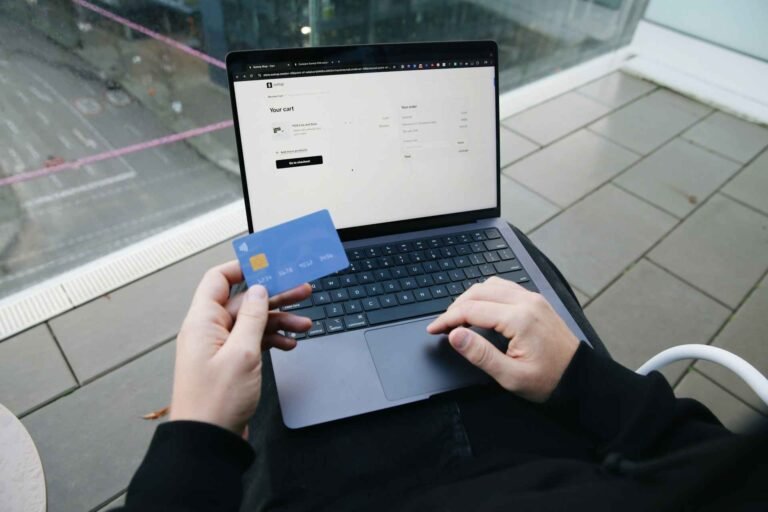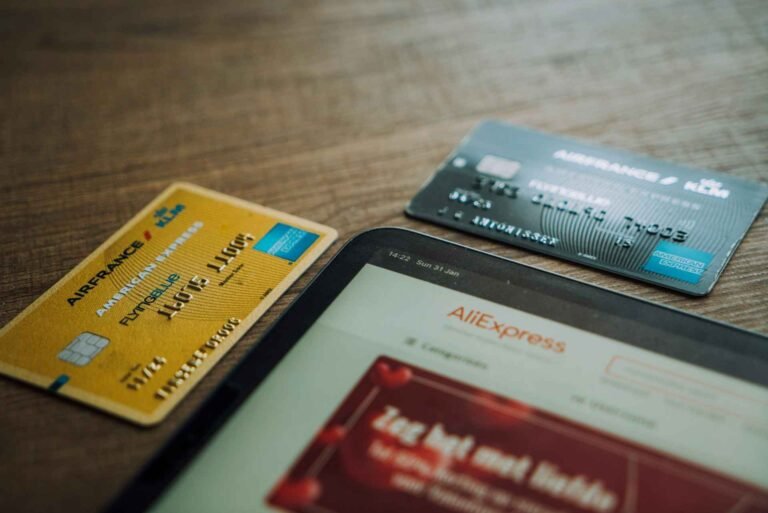
Yes, AliExpress is safe to pay on. It is owned by Alibaba, one of the largest e-commerce companies in the world, and uses an escrow payment system that holds your money until you confirm the order arrived. But the payment method you choose determines how many layers of protection sit between you and a worst-case outcome. Credit card gives you the most. Wire transfer gives you none. This guide ranks every option in order and explains what happens to your money if something goes wrong.
AliExpress Payment Methods: Ranked by Safety
| Payment Method | Chargeback Right? | Card Number Exposed? | Available on AliExpress? | Safety |
| Credit card (Visa / Mastercard / Amex) | Yes | Encrypted at checkout | Yes | Best |
| Google Pay / Apple Pay | Yes (via linked card) | No. Tokenized | App only | Best |
| Revolut virtual card | Varies by plan | No. Virtual number | Yes | Very good |
| Debit card | Varies by bank | Encrypted at checkout | Yes | Good |
| PayPal | Yes | No | US marketplace only | Good where available |
| Bank / wire transfer | No | N/A | Not accepted | Never use |
| Gift cards | No | N/A | Not accepted | Never use |
Credit Card: Why It Tops the List
A credit card is the safest payment method on AliExpress because it gives you two independent layers of protection, not one.
The first layer is AliExpress buyer protection. Your payment goes into escrow and is only released to the seller after you confirm receipt or the protection window expires. If the item does not arrive, you open a dispute and AliExpress handles the refund.
The second layer is your credit card’s chargeback right. If the AliExpress dispute process fails or the protection window closes before you can act, you can dispute the charge directly with your card issuer. Under consumer protection law in the US (Fair Credit Billing Act), UK (Section 75 of the Consumer Credit Act), and Australia (through card scheme rules), credit card issuers are required to investigate disputes for undelivered goods. This backstop exists independently of AliExpress and does not require AliExpress’s cooperation to use.
No other payment method gives you both layers. That is why credit card tops the list.
Google Pay and Apple Pay: The Safest Card Entry Option
Google Pay and Apple Pay are safer than typing your card number directly into a checkout form, because neither sends your actual card number to the merchant.
When you pay with either service, the transaction uses a one-time payment token instead of your real card details. AliExpress receives a token for that specific transaction. Even in a theoretical data breach, your real card number would not be among the exposed data.
Both services inherit the protections of the underlying card. If you fund Google Pay or Apple Pay with a credit card, you retain the chargeback right described above.
The limitation: Google Pay and Apple Pay work on the AliExpress app, not reliably on desktop browsers. If the option does not appear at checkout on your phone, check that you have the latest AliExpress app version and that your device’s payment service is enabled.
Revolut: Good for Limiting Exposure
Revolut’s virtual card feature generates a separate card number that you can use specifically for AliExpress purchases. If you are uncomfortable entering your primary card on any platform, a Revolut virtual card limits exposure to the virtual number rather than your main account.
You can freeze the Revolut card instantly from the app if you notice unexpected activity. The downside is that Revolut is a debit product in most markets, so the chargeback right is less guaranteed than with a credit card. Check your specific Revolut plan’s dispute policy.
One practical note: enable online transactions in the Revolut app settings before attempting to pay on AliExpress. This option is off by default on some accounts and is the most common reason Revolut payments fail at checkout.
Debit Card: Use It If You Have Nothing Better
Debit cards work on AliExpress and are a reasonable option if credit cards are not available to you. Your card details are encrypted at checkout and AliExpress buyer protection still applies.
The difference from credit cards is legal rather than technical. Debit card transactions pull money immediately from your bank account, and the chargeback right is not a statutory consumer protection in most countries the way it is for credit cards. Some banks offer voluntary dispute processes for debit transactions, but the outcome depends on the bank’s policy rather than law.
Use a debit card if that is your only option. Credit card is preferable when both are available.
Why PayPal Is No Longer the Default Choice
AliExpress removed PayPal as a platform-wide payment option in October 2020. If you see PayPal at checkout on AliExpress today, it means the specific listing is sold by a US-marketplace seller, not a global AliExpress seller. This applies to a small subset of listings.
For the vast majority of AliExpress purchases, PayPal is simply not offered. If a third-party website tells you to use PayPal on AliExpress as a safety measure, that information is outdated. Credit card or Google Pay / Apple Pay are the current best options.
What Never to Use
Bank wire transfer. AliExpress does not accept wire transfers at checkout, which is by design. If anyone asks you to pay for an AliExpress order via wire transfer to a bank account, this is a scam. Do not proceed.
Gift cards. AliExpress does not accept standard retail gift cards (Amazon, Google Play, iTunes, etc.) as payment. If a seller contacts you outside the platform and asks you to pay with gift cards, this is a scam and the communication itself violates AliExpress’s terms.
Western Union and MoneyGram. Not accepted by AliExpress and have no buyer protection. No legitimate AliExpress transaction requires either of these.
Is It Safe to Enter Your Card Details on AliExpress?
Yes. AliExpress processes card payments through Alipay, Alibaba’s payment subsidiary, using standard SSL encryption on the checkout page. Alibaba is a publicly listed company processing tens of millions of transactions annually with no major card data breach on record.
The risk of entering card details on AliExpress is comparable to entering them on Amazon or any major e-commerce platform. It is low, not zero, which is true of every online retailer.
If you want to eliminate that risk entirely, use Apple Pay or Google Pay on the AliExpress app. Your actual card number never reaches the platform.
What Happens to Your Payment If the Order Doesn’t Arrive?
AliExpress holds your payment in escrow from the moment you pay. The seller cannot access it until you confirm receipt or your buyer protection window expires. This means your money does not move to the seller just because they marked the order as shipped.
If the order does not arrive: open a dispute before the protection window closes. Go to My Orders, select the order, and tap Open Dispute. Choose “Item not received.” AliExpress typically issues a full refund within 3 to 15 business days on non-delivery disputes backed by tracking evidence.
If the AliExpress dispute process fails or the window has already closed: dispute the charge with your credit card issuer as an undelivered goods claim. This is why credit card is the recommended payment method. The dispute window with most card issuers is 60 to 120 days from the transaction date, giving you time after the AliExpress protection window to exercise this right.
For more on dispute timing and the buyer protection window, see the AliExpress buyer protection guide.
Takeaway
AliExpress is a safe platform to buy from. The escrow system, buyer protection window, and Alipay processing give you a solid baseline regardless of payment method. Paying by credit card or through Google Pay or Apple Pay adds a second tier of protection that sits outside AliExpress entirely, which is worth having on any significant purchase. See what to do if your order gets stuck for the next step if something goes wrong after you pay.
Help a Friend Save Money: