How to Use Google Pay on AliExpress

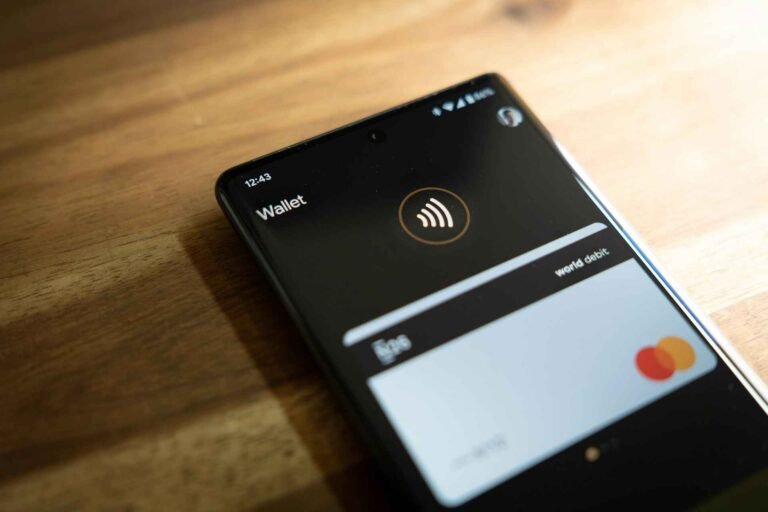
Google Pay is available as a payment method on AliExpress in many countries, primarily through the mobile app and mobile web browser. To use it: (1) Add items to cart and proceed to checkout, (2) Select “Google Pay” from payment options, (3) Authenticate using your device security (fingerprint, PIN, or face recognition), (4) Confirm the payment. Google Pay must be set up on your device first with at least one card linked. Availability depends on your country and whether you’re using the app or desktop site.

Is Google Pay Available on AliExpress?

Short answer: Yes, but with limitations based on location and device.

Available in these scenarios:

  • AliExpress mobile app (Android and iOS) in supported countries
  • Mobile web browser (Chrome, Safari) in supported countries
  • Some desktop browsers in limited regions

NOT typically available:

  • Desktop website in many countries (varies by region)
  • Countries where Google Pay itself isn’t supported
  • If your Google Pay account isn’t properly set up

Supported countries include: United States, United Kingdom, Canada, Australia, most of Europe, India, Singapore, and many others where Google Pay operates. If Google Pay works in your country generally, it likely works on AliExpress.

Requirements Before You Start

Before you can use Google Pay on AliExpress, verify:

Device requirements:

  • Smartphone (Android 5.0+ or iOS 12+) for best compatibility
  • Google Pay app installed and set up
  • At least one credit/debit card added to Google Pay
  • Device security enabled (PIN, fingerprint, or face recognition)

Account requirements:

  • Active AliExpress account
  • Shipping address added to your AliExpress profile
  • Your country supports Google Pay on AliExpress

Network requirements:

  • Stable internet connection
  • Location services enabled (sometimes required for payment authentication)

If you haven’t set up Google Pay yet, do that first through the Google Pay app before attempting to use it on AliExpress.

How to Use Google Pay on AliExpress (Mobile App)

This is the most reliable method:

Step 1: Add items to cart Browse AliExpress and add items you want to buy to your cart as normal.

Step 2: Go to checkout Tap the shopping cart icon, review your items, and tap “Buy Now” or “Check Out.”

Step 3: Verify shipping address Confirm or add your shipping address. Make sure it’s complete and accurate.

Step 4: Select payment method You’ll see a section labeled “Payment Method” or “Select Payment.”

Tap on it to see available payment options.

Step 5: Choose Google Pay Look for the Google Pay option (usually shows the Google Pay logo).

Tap “Google Pay” to select it.

If you don’t see Google Pay listed, see the troubleshooting section below.

Step 6: Review order details AliExpress will show you:

  • Total amount to be charged
  • Items in your order
  • Shipping address
  • Delivery estimates

Verify everything is correct.

Step 7: Confirm payment Tap “Pay Now” or “Confirm Payment.”

Step 8: Authenticate with Google Pay A Google Pay popup will appear asking you to authenticate:

  • Use fingerprint, face recognition, or PIN
  • The exact method depends on your device security settings

Step 9: Complete transaction Once authenticated, Google Pay processes the payment.

You’ll see a confirmation screen showing:

  • Order number
  • Payment confirmation
  • Estimated delivery date

You’ll also receive email confirmation from both AliExpress and Google Pay.

Time required: 2 to 3 minutes once you’re at checkout.

How to Use Google Pay on AliExpress (Mobile Web Browser)

If you’re using a mobile browser instead of the app:

Step 1: Open AliExpress in mobile browser Go to m.aliexpress.com (mobile site) in Chrome, Safari, or your preferred browser.

Step 2: Log in to your account Enter your AliExpress credentials.

Step 3: Add items and go to checkout Select items, add to cart, proceed to checkout.

Step 4: Select payment method In the payment section, look for Google Pay option.

Step 5: Choose Google Pay Tap the Google Pay option when it appears.

Step 6: Authenticate Your browser will redirect to Google Pay for authentication.

You’ll need to verify using your device security method.

Step 7: Return to AliExpress After authentication, you’ll be redirected back to AliExpress.

Step 8: Confirm order Final confirmation screen appears, tap to complete.

Note: Mobile browser experience can be less smooth than the app. The app is recommended for best results.

How to Use Google Pay on AliExpress (Desktop)

Desktop availability is limited and varies by country:

Important: Google Pay on desktop typically only works if:

  • You’re in a supported country (US, UK, some European countries)
  • You’re using Chrome browser
  • Your Google account is properly synced

If available, the process is:

Step 1: Go to AliExpress website Open www.aliexpress.com in Chrome browser.

Step 2: Add items to cart and checkout Standard shopping process.

Step 3: Look for Google Pay at payment selection In the payment methods section, see if Google Pay appears.

Step 4: Click Google Pay option If available, select it.

Step 5: Authenticate in popup A Google Pay authentication window will pop up.

Confirm using your Google account password or 2FA method.

Step 6: Complete purchase Once authenticated, the payment processes and order confirms.

Reality check: Many users don’t see Google Pay on desktop. If it’s not available, use the mobile app or choose a different payment method.

Why Google Pay Might Not Appear as an Option

Common reasons Google Pay doesn’t show up:

Reason 1: Country restrictions Google Pay on AliExpress isn’t available in all countries where AliExpress operates.

Solution: Check if Google Pay is generally available in your country. If not, it won’t work on AliExpress either.

Reason 2: Using desktop instead of mobile Desktop support is limited compared to mobile.

Solution: Switch to the AliExpress mobile app for best Google Pay compatibility.

Reason 3: Google Pay not set up on device If you haven’t configured Google Pay with at least one payment card, it won’t appear.

Solution: Open Google Pay app, add a card, verify it works, then try AliExpress again.

Reason 4: Currency or payment amount issues Some payment methods have minimum/maximum transaction limits.

Solution: Check if your order amount is within acceptable range. Try splitting large orders.

Reason 5: Seller restrictions Some individual sellers might not accept certain payment methods.

Solution: Check payment methods accepted by the specific seller. Choose different sellers if needed.

Reason 6: AliExpress account issues Account verification problems can limit payment options.

Solution: Ensure your AliExpress account is fully verified with correct personal information.

Reason 7: App or browser cache issues Old cached data can prevent payment options from displaying correctly.

Solution: Clear app cache (Settings > Apps > AliExpress > Clear Cache) or browser cache, then restart and try again.

Troubleshooting Common Google Pay Issues

Problem: “Payment declined” error

Possible causes:

  • Insufficient funds on linked card
  • Card expired or blocked
  • Bank declining international transactions
  • Google Pay experiencing technical issues

Solutions:

  • Check your card balance
  • Verify card is active and valid
  • Contact your bank to authorize international/online transactions
  • Try a different card in Google Pay
  • Wait 30 minutes and try again

Problem: “Payment method not available”

Possible causes:

  • Country restrictions
  • Device compatibility issues
  • Google Pay account not properly set up

Solutions:

  • Verify Google Pay works for other purchases
  • Update AliExpress app to latest version
  • Update Google Pay app to latest version
  • Switch from desktop to mobile
  • Try mobile browser if app doesn’t work

Problem: Authentication loop (keeps asking to authenticate)

Possible causes:

  • Connection interruption
  • App glitch
  • Browser compatibility issue

Solutions:

  • Close and restart AliExpress app
  • Clear app cache
  • Try different browser if using web
  • Restart your device
  • Use a different payment method temporarily

Problem: Payment processed but order not confirmed

Possible causes:

  • Technical delay between payment and order processing
  • Connection dropped after payment

Solutions:

  • Wait 5 to 10 minutes, check your Orders page
  • Check email for confirmation from AliExpress
  • Check Google Pay transaction history to confirm charge went through
  • Contact AliExpress customer service if charge appears but no order shows after 1 hour

Google Pay vs. Other Payment Methods on AliExpress

Why choose Google Pay over alternatives?

Google Pay advantages:

  • Fast checkout (1-click if set up properly)
  • Secure (card details not shared with AliExpress)
  • Easy authentication (fingerprint/face recognition)
  • Works with multiple cards without re-entering details
  • Transaction history easily accessible in Google Pay app

When to use alternatives instead:

Use credit card directly if:

  • Google Pay isn’t available
  • You want specific card protections
  • You’re building credit card rewards

Use PayPal if:

  • You want an extra layer of buyer protection
  • Google Pay isn’t working
  • You prefer PayPal’s dispute resolution

Use AliExpress credit if:

  • You have existing credit balance
  • You want to avoid payment processing fees

Use local payment methods if:

  • Google Pay isn’t supported in your country
  • Local methods offer better exchange rates
  • You prefer familiar regional payment systems

Security: Is Google Pay Safe on AliExpress?

Yes, Google Pay is secure for AliExpress purchases.

Security features:

  • Your actual card number is never shared with AliExpress
  • Google Pay uses tokenization (virtual card numbers for each transaction)
  • Device authentication required (fingerprint, face ID, or PIN)
  • Encrypted transmission of payment data
  • Fraud monitoring by Google

What AliExpress sees:

  • That payment was successful
  • Transaction amount
  • A tokenized payment reference

What AliExpress doesn’t see:

  • Your actual credit/debit card number
  • Card CVV
  • Full payment details

Additional protection:

  • Buyer protection still applies (disputes work the same regardless of payment method)
  • Your credit card’s fraud protection remains active
  • You can dispute charges through Google Pay if needed

Best practices:

  • Use device lock screen (don’t disable authentication)
  • Keep Google Pay app updated
  • Monitor transactions in Google Pay app
  • Report unauthorized charges immediately

Tips for Smooth Google Pay Transactions

Before checkout:

  • Verify Google Pay is working (test with a small purchase on another site if uncertain)
  • Check that your preferred card is set as default in Google Pay
  • Ensure sufficient funds or credit limit

During checkout:

  • Have stable internet connection (don’t use public WiFi for payment)
  • Don’t navigate away from AliExpress during payment processing
  • Keep AliExpress app open until confirmation appears
  • Screenshot the confirmation page

After purchase:

  • Check Google Pay transaction history to confirm charge
  • Verify order appears in AliExpress Orders section
  • Save confirmation email
  • Note the order number for tracking

For expensive purchases:

  • Double-check shipping address before confirming
  • Review all order details carefully
  • Consider using a credit card in Google Pay (better protection than debit)
  • Screenshot everything for records

Fees and Exchange Rates

Google Pay fees on AliExpress: AliExpress doesn’t charge extra fees for using Google Pay. You pay the same total as you would with other payment methods.

Currency conversion: If you’re buying in a different currency:

  • Google Pay uses your card issuer’s exchange rate
  • Your bank may charge foreign transaction fees (check your card terms)
  • The exchange rate is determined by your bank, not Google Pay or AliExpress

To minimize costs:

  • Use a credit card with no foreign transaction fees if buying internationally
  • Check exchange rates before purchasing
  • Consider waiting for favorable exchange rate movement on large purchases

Quick Reference: Complete Process

For quick reference, here’s the entire flow:

  1. Open AliExpress app
  2. Add items to cart
  3. Tap “Buy Now”
  4. Verify shipping address
  5. Tap “Payment Method”
  6. Select “Google Pay”
  7. Review order total
  8. Tap “Pay Now”
  9. Authenticate (fingerprint/PIN/face)
  10. Wait for confirmation
  11. Done (order placed, payment processed)

Expected time: 2 to 3 minutes from checkout to confirmation.

Takeaway

Google Pay on AliExpress works smoothly once set up properly, primarily through the mobile app. If you encounter issues, the mobile app offers the most reliable experience. The main advantages are speed and security, particularly the fact that your actual card details never reach AliExpress. As long as Google Pay is available in your country and you’re using a compatible device, it’s one of the fastest ways to complete AliExpress purchases.

Similar Posts